Image Compressor SmartPhone
## Local Image Compressor - User Manual
A high-performance, browser-only image compression tool engineered with zero server dependency. All compression, format conversion, and visual diff calculations occur purely in your local device memory.
**Key Features**
* **100% Client-Side Processing**: Files never leave your browser, maintaining full data confidentiality.�
* **Preserved Pixel Dimensions**: Reduces storage weight (KB/MB) without downscaling actual image resolution.�
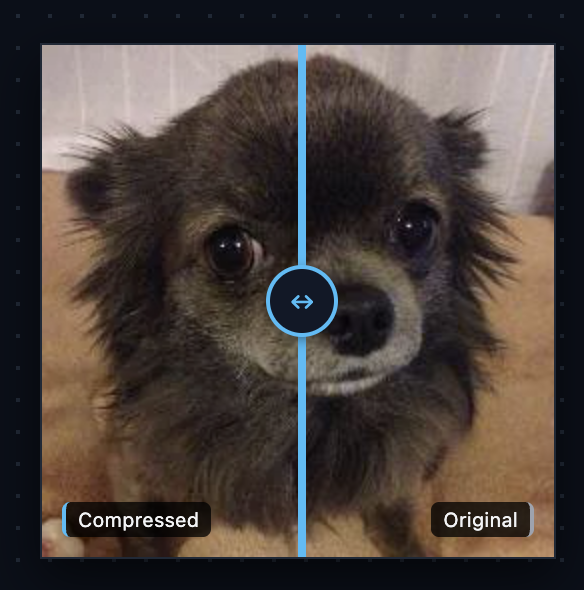
* **Touch-Enabled Visual Diff**: Swipe the split bar across the screen on mobile devices or drag with a mouse on desktop to verify fine detail retention.�
* **Multi-Codec Output**: Supports WebP, JPEG, and quantized 8-bit PNG palette encoding.�
**Operating Instructions**
**Step 1: Import an Image**
1. Tap the central drop area on mobile (or drag and drop on desktop).�
2. Pick an existing image from your photo gallery or capture a new one using your camera.�
**Step 2: Configure Optimization Settings**
Select the desired codec and balance output quality using the controls in the bottom panel:
* **Format Options:**� * **WebP (Default)**: Modern standard offering the best compression ratio while preserving rich detail and transparency.� * **JPEG**: Universal compatibility, ideal for complex photographs without transparent backgrounds.� * **PNG (Quantized)**: Reduces color depth (4 to 256 colors) to shrink PNG files while keeping transparency intact.�
* **Parameters:**� * **Quality Slider (WebP / JPEG)**: Adjust from 1% to 100%. A value between 75% and 85% usually yields optimal byte savings with virtually imperceptible quality degradation.� * **Color Palette Slider (PNG)**: Lower the color count to heavily compress flat illustrations, logos, or UI screenshots.�
**Step 3: Inspect Real-Time Output**
1. The **Metrics Card** updates instantly to display:� * **Dimensions**: Native width and height in pixels.� * **Original & Compressed Size**: Raw byte comparison.� * **Reduction**: Total percentage of data eliminated.�
2. Drag or swipe the **vertical divider line** to examine differences:� * **Left side**: Compressed output.� * **Right side**: Unaltered original image.�
**Step 4: Save the Result**
Tap the **Download Image** button to export the optimized file directly to your local device.
Leave a comment
Log in with itch.io to leave a comment.